A Studio that moves with you.
Open Settings → Edit Studio to drag launcher shortcuts between the activity bar and top bar. Remove what you don’t need, bring it back later, or start from a preset. Your editor, output and Tools always stay put.
E++ 1.4a2 is here, with more ways to make your workspace your own. A little more you, a lot more room to create.
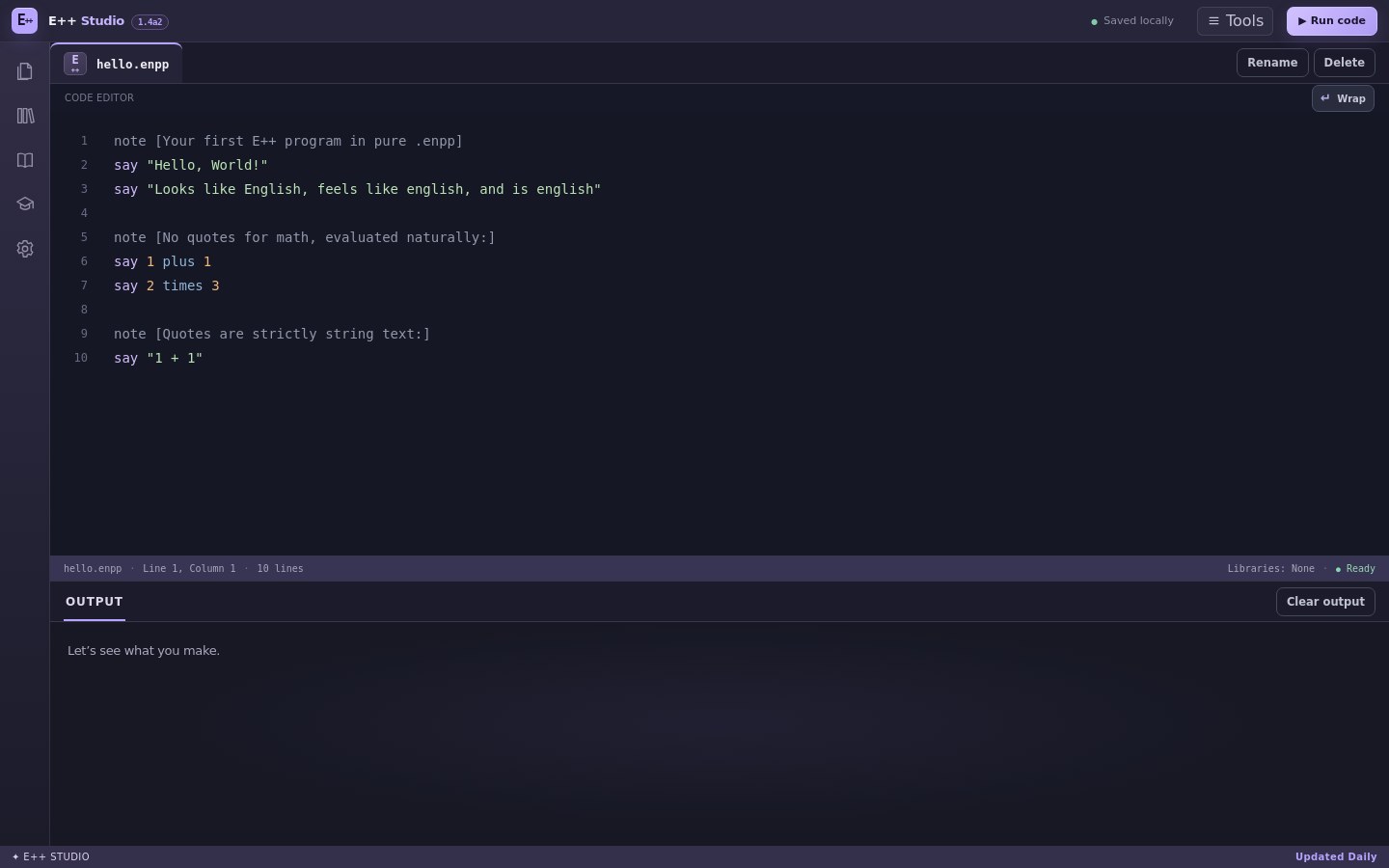
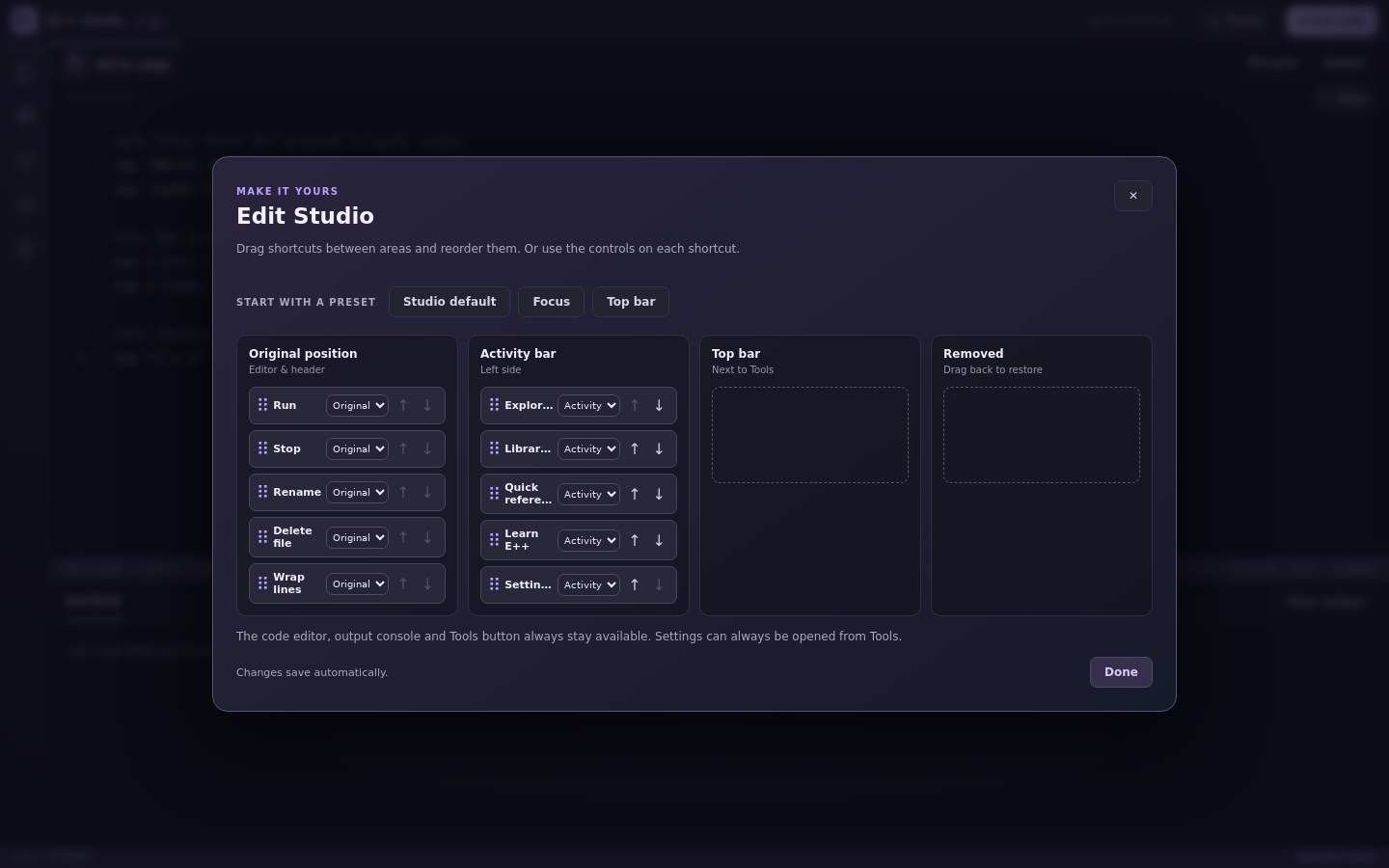
Open Settings → Edit Studio to drag launcher shortcuts between the activity bar and top bar. Remove what you don’t need, bring it back later, or start from a preset. Your editor, output and Tools always stay put.
Pick from a whole palette of colors, or create a custom accent. Fine-tune your editor with text size, line numbers and line wrapping. Your choices are saved on this device.
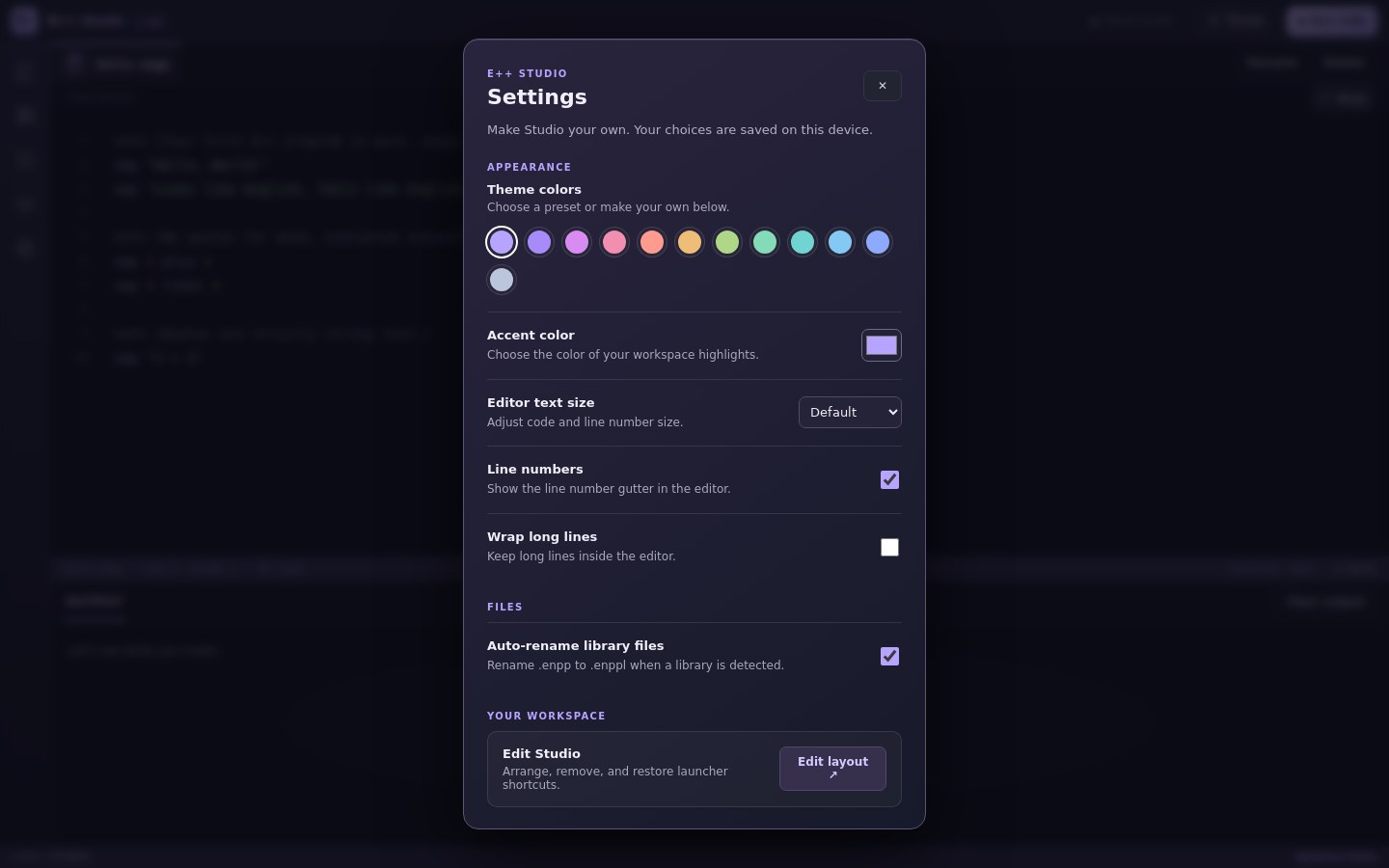
EShare now has one home in Tools. Automatic library file renaming remains on by default, and the news is always one click away.